

Create products from anywhere.The desk is optional.
A native Android terminal that connects straight from your phone to a machine you already own, over SSH. Hand a job to a coding agent, put the phone in your pocket, and come back when it stops to ask.
Three moments, not a feature list
Mochitao is not an IDE and it does not run your work. It is the thing you open when the machine is busy and you are not in front of it.
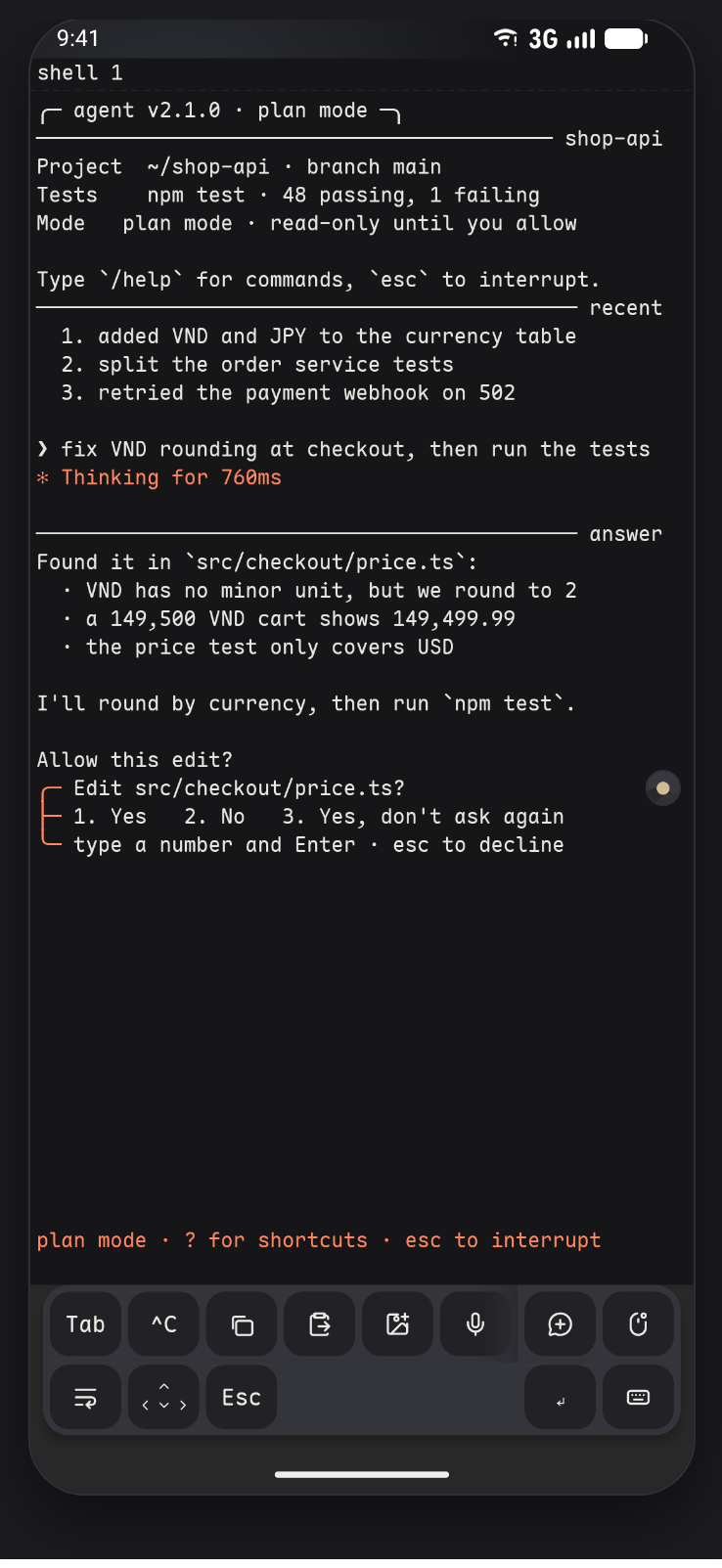
An agent is running on your machine and you are not at the desk.
The work stays on the machine it belongs to. The phone shows the session and nothing else — there is no build to install on the phone and no job to hand it.
The agent stops and asks one question.
It shows as blocked on its own tab, with the question on screen, and you answer it by typing a number and pressing enter.
A small server errand that is not worth a laptop.
Open the host, get a shell, run the one command. The phone is already in your pocket and already holds the key.
You can tell which one needs you
Install Herdr on your own machine and every agent pane becomes a native tab carrying a state. The state is never colour alone — the silhouette differs and the word is always there.
Running. Nothing is waiting on you.
It stopped to ask. This is the tab you open.
Finished on its own.
It failed, and says why.
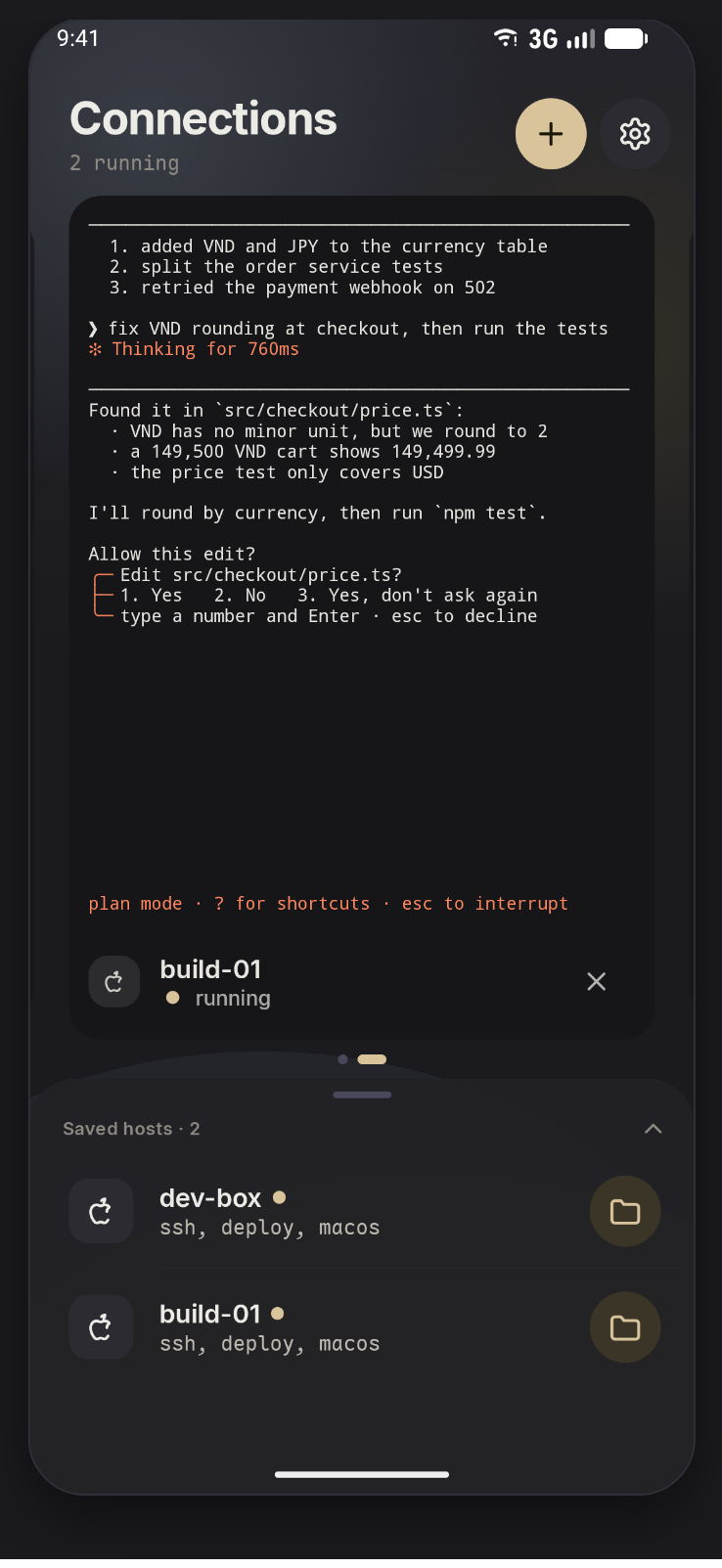
Without Herdr there are no agent tabs, and nothing else changes. Mochitao is a full SSH client either way.
The rest of it
- SSH, three ways
- Password, keyboard-interactive and public key. ProxyJump and bastion chains, keepalive, agent forwarding, and several live sessions at once.
- Keys that stay put
- Keys generated in the app are created in the Android Keystore, and signing is gated behind biometrics. Imported keys go through the same gate.
- A changed host key stops everything
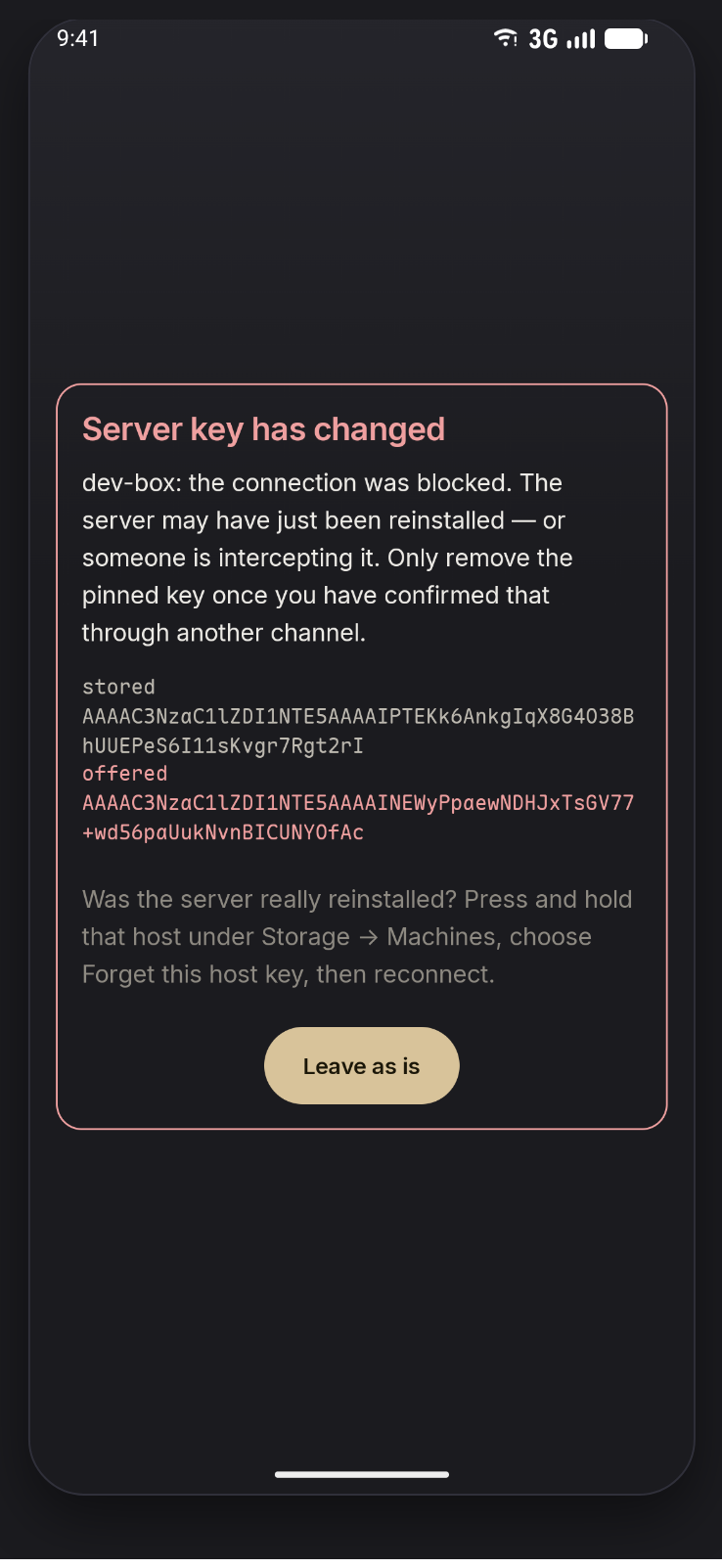
- A mismatch blocks the connection outright. There is no always-accept button, and the old entry has to be deleted in Settings first.
- A terminal that reads text
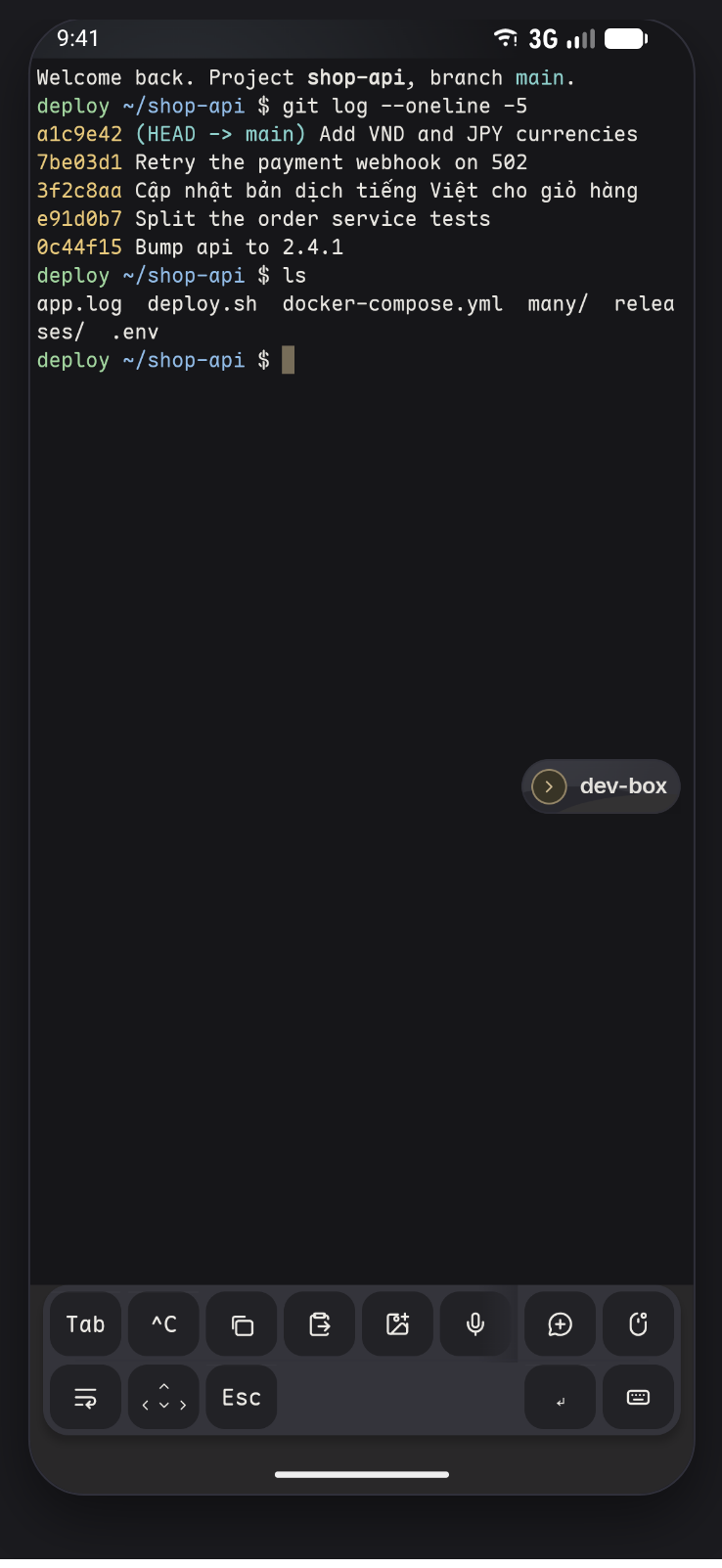
- Full VT emulation with truecolor, scrollback search, selection and copy, and correct width handling for Vietnamese combining diacritics and CJK.
- Type on a phone, seriously
- Up to three quick-key rows you arrange yourself, sticky Ctrl and Alt, a snippet library with per-OS overrides, voice input, and your own key combinations.
- Files over the same connection
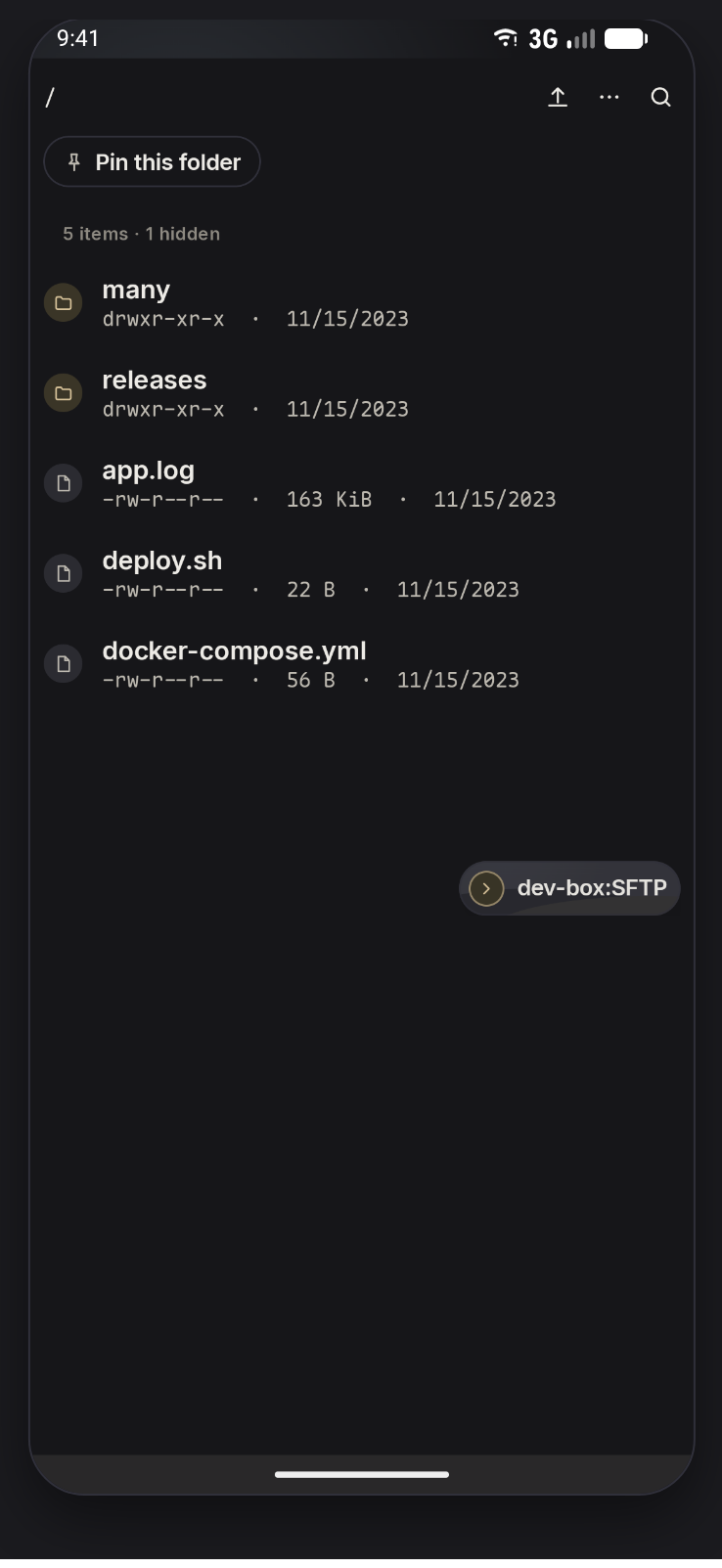
- An SFTP browser on the SSH session you already have: search, multi-select, chmod, a resumable transfer queue, and in-app text editing.
- One app, one face
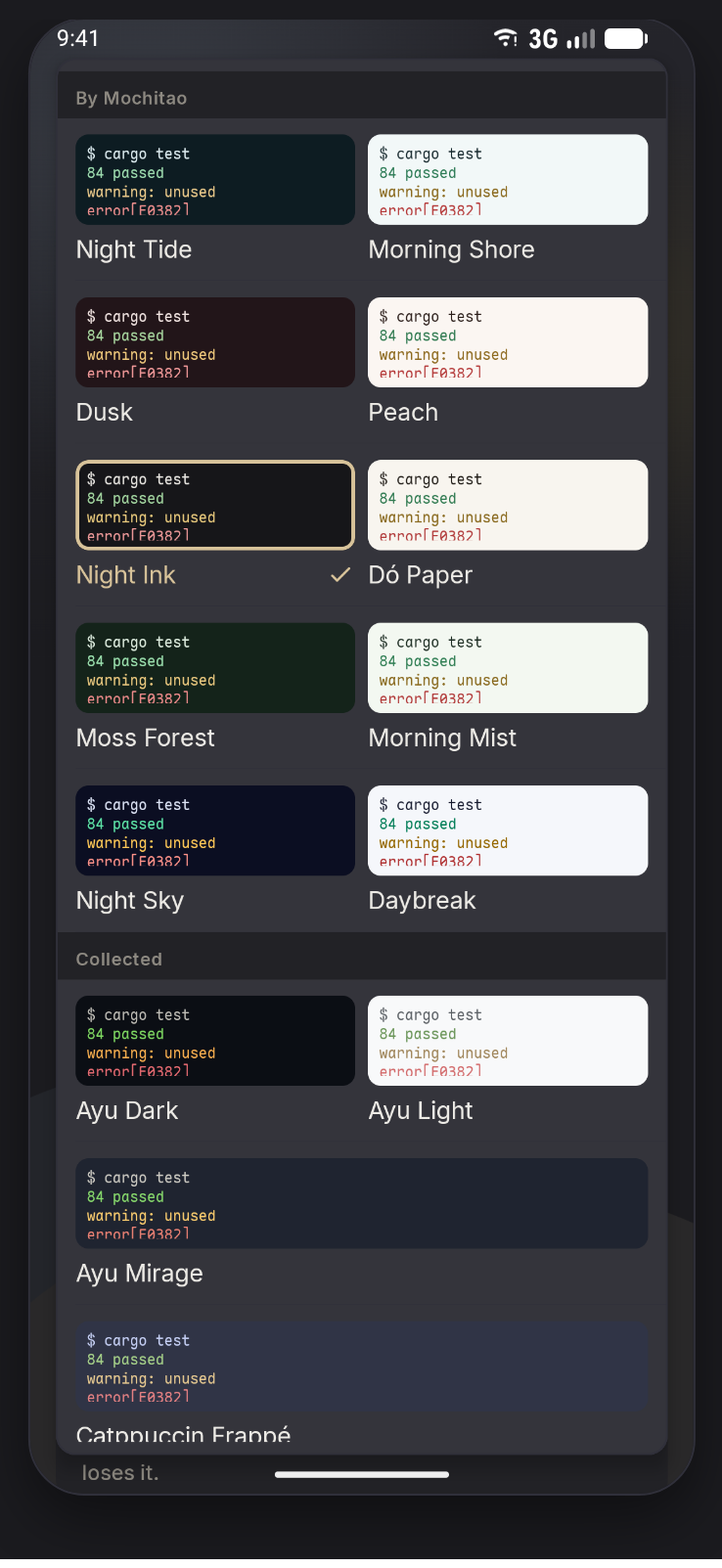
- 10 app themes in 5 light and dark pairs, 37 terminal palettes, 9 terminal fonts, and import your own palette from a JSON file.
- It comes back
- Automatic reconnect with backoff, and reattach to the exact tab after the OS kills the app. Closing it is not a decision.
The parts worth a look
A real terminal, a real host-key block, and the theme list — the three screens that say whether the app was made carefully.
Get it from Play
Google Play is the only supported channel, because the Pro tier is purchased with Play Billing, which only works for an app installed from Play.
- Check your device
Android 8.0 (API 26) or newer, and an arm64 device — which is every phone from roughly 2016 on. The app is not on x86_64, so it will not run on most emulators.
- Install from Play
Search for
Mochitao, or open the listing link from the Play Console. Installing from Play is what keeps purchases, updates and Play App Signing working. - Add your first machine
On first connection, Mochitao asks for the host key fingerprint and shows it as a randomart. Compare it with the fingerprint on the machine itself before trusting it.
- Authenticate
Use a password, keyboard-interactive, or a key. Keys can be generated inside the app and stay in the Android Keystore, with signing gated behind biometrics.
On an x86_64 device or an emulator: installation fails with INSTALL_FAILED_NO_MATCHING_ABIS. That is the ABI filter doing its job, not a broken package.
Questions engineers ask first
The honest answers, including the ones that rule the product out for some people.
What does it actually connect to?
A machine you already own — a home server, a workstation, a cloud VM — over SSH, directly from your phone. Mochitao installs nothing on that machine and opens no extra port on it. It does not give you a shell on the phone itself.
What happens to my keys?
Keys generated in the app are created in the Android Keystore; on devices with a hardware secure element the private key is never readable by the app or the operating system. Signing operations require biometric confirmation. Imported keys go through the same gate.
Why does it say there is no account, as if that were a downside?
Because it is. Mochitao does not store anything about you or your machines, which also means no sync across devices and no push notifications. If you need those, this is not the app for you yet. What you get in exchange: your keys never leave the device, and nothing you run depends on someone else's infrastructure.
What is Herdr, and do I need it?
Herdr is a third-party terminal multiplexer for coding agents, Apache-2.0, that you install on your own machine. Mochitao speaks to it over a socket and does not bundle or link it. With it, every agent pane becomes a native tab showing whether it is working, waiting for you, or done. Without it, Mochitao is still a complete SSH client — the agent view degrades instead of disappearing.
Does the app run anything on my phone?
No AI model and no agent runs on the device. Every process — the agent, the shell, the multiplexer — lives on the remote host. The app is a viewport, and the operating system may kill it at any moment without losing work, which is why it reconnects and reattaches to the exact tab.
Is it open source?
Not currently. There is no licence file and the repository is not public, so nothing here should be read as a claim that it is.
Does it collect anything about me?
No. There is no analytics, no crash reporting, and no backend. Host list, keys, known_hosts, snippets and preferences stay in app-private storage. The full text is on the privacy policy page.
What does Pro cost?
79,000 ₫ for a month, 749,000 ₫ for a year (21% under twelve months), or 1,490,000 ₫ once. Play handles the purchase, and the exact price in your country is shown in the app.
Is it on Google Play?
It ships through Google Play. That is the only supported channel, because the Pro tier is purchased with Play Billing, which needs the app to be installed from Play.